
Product guide
AGIBOT A2: Capabilities and Deployment
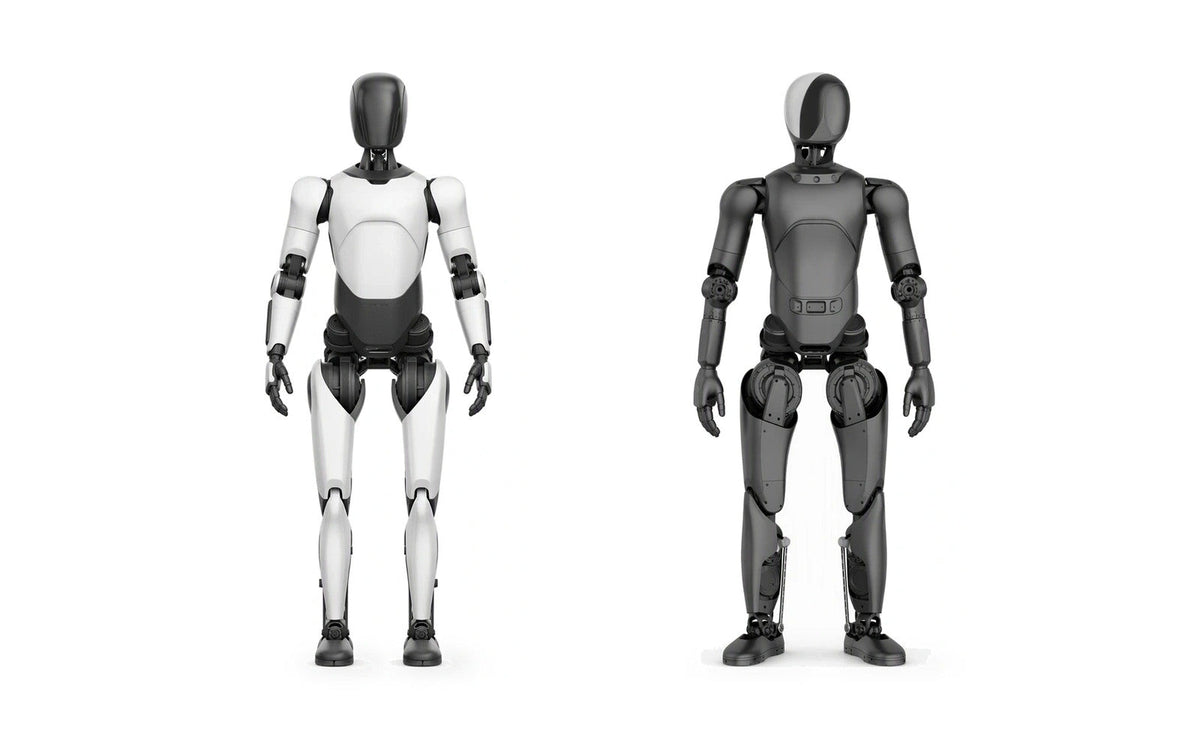
AGIBOT A2 products serve different applications. A2 Ultra combines movement with perception and interaction features, while A2 Lite is positioned for entertainment and commercial performances. Choosing between them starts with the task you want to deliver.
This guide explains how to review the configuration, site and software before planning an A2 deployment.
Start with the right A2 configuration
AGIBOT A2 Ultra is the relevant starting point for projects involving visitor interaction and guided experiences. Its published features include a configurable Q&A knowledge base, wake words, character settings and actions, together with autonomous navigation and obstacle avoidance. These features need to be configured around the venue and intended workflow.
AGIBOT A2 Lite is designed for entertainment and performances. Its product information describes dance development and group-control support, with some software and content options charged separately. Confirm the included functions and optional software for the version you select.
Use the documentation for the exact hardware and software version in your proposal. Specifications and available functions can differ between configurations and releases.
Turn a demonstration into a defined task
A useful project brief describes a sequence of actions. For an exhibition guide, that might mean greeting visitors, moving between agreed points, presenting approved information and answering questions within a defined subject area.
A2’s flagship user documentation describes maps, navigation points and explanation tasks. Planning a guided experience therefore includes preparing the route and content, not just choosing a robot body.
For a performance, define the movement sequence, soundtrack, duration, audience position and operator responsibilities. Review the proposed routine with the team rather than assuming that any movement seen in a video is supplied or suitable for your venue.
Review the venue before deployment
Share a floor plan and photographs or video of the intended operating area. Identify narrow passages, changes in floor level, obstacles, reflective surfaces and places where people may gather. Ask the team to confirm the applicable route clearances and surface conditions for the selected version.
For voice interaction, test typical background noise, speaking distances and the languages required. For connected functions, confirm network access and any venue restrictions. Plan charging, storage and staff access alongside the public-facing activity.
Agree on software, content and support
Separate the functions supplied with the robot from paid options, content preparation and custom integration. For an A2 Ultra knowledge base, nominate someone to approve answers and maintain the information when products, opening hours or services change.
If the project requires custom software, ask which interfaces and development resources are available. Confirm who will build, test and maintain the integration. Include any task development and validation in the agreed scope.
Set clear acceptance criteria
Agree on a small set of observable tasks before delivery. Examples include completing a defined tour, presenting the approved script, responding to a set of relevant questions and following an agreed staff-intervention procedure. Test under representative site conditions.
To discuss an A2 project, contact our team with the intended application, destination, quantity, budget range and target date. Include your contact details and any site materials so the team can follow up with the appropriate configuration and project scope.
Discuss your application.
Share your use case, requirements and budget.
Contact sales